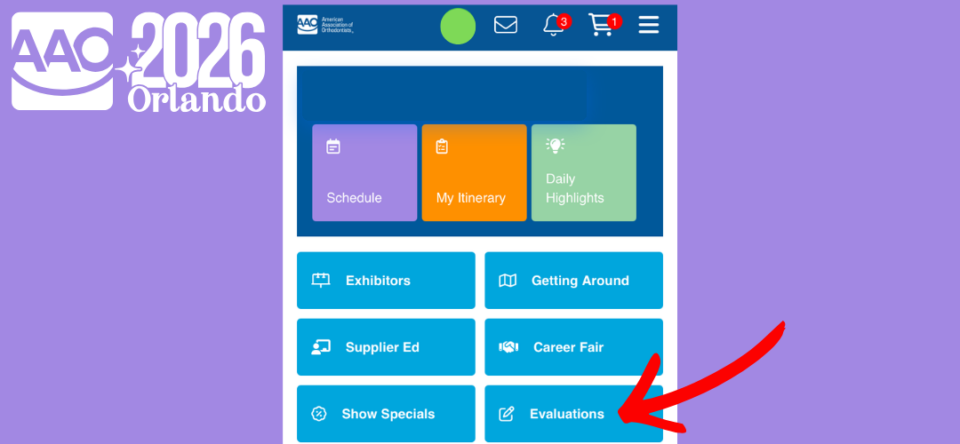
The AAO’s mission is to advance the art and science of orthodontics through education, advocacy, and research. As a data-driven organization, we need feedback from attendees, as it significantly informs our future planning for continuing education initiatives.
Eligible individuals registered* to attend in-person are required to print their badges onsite and complete short session evaluations to earn continuing education (CE) credits.
Recommended Option: Auto-Login from Your Email
This option provides auto-login access to the event platform. You’ll be prompted to install the AAO Event App — and when you open it, you’ll already be logged in.
- Open the email from AAO Support on your mobile device. The email will be one of a series from AAO Support through the start of the meeting, each with a different subject line but all including overviews of the CR process.
- Tap the login/access button and select “Stay logged in for 60 days.”
- Look for a pop-up notification to install the AAO Event App.
Alternative Option: Manual Login
On your mobile device, visit aaoinfo.org/AS26CE and log in using your AAO website credentials.
Your username is the primary email address associated with your AAO account, and it must match the email used for Annual Session registration.
Don’t have an AAO account? Non-members, visit aaoinfo.org/login to register for free community access using the same email you used for your event registration.
*Guest and exhibitor registrants are ineligible for CE credit.
Session Evaluations
- After accessing the event platform, search for the session(s) you attended. Quick tip! Use the Search feature and/or expand and use the Filters to find sessions.
- Select the blue Take Evaluation button for a session. Quick tip! Ensure that your web browser’s pop-up blocker is not on.
- Answer the evaluation questions and select the blue Submit button at the bottom of the evaluation.
- Download and/or print the CE certificate and/or transcript.
Questions? Visit the Learning Help Desk on the Level 3 Concourse of the Orange County Convention Center before and during the meeting.
(8:00 am – 4:30 pm, April 30, May 1, 2, and 3)